

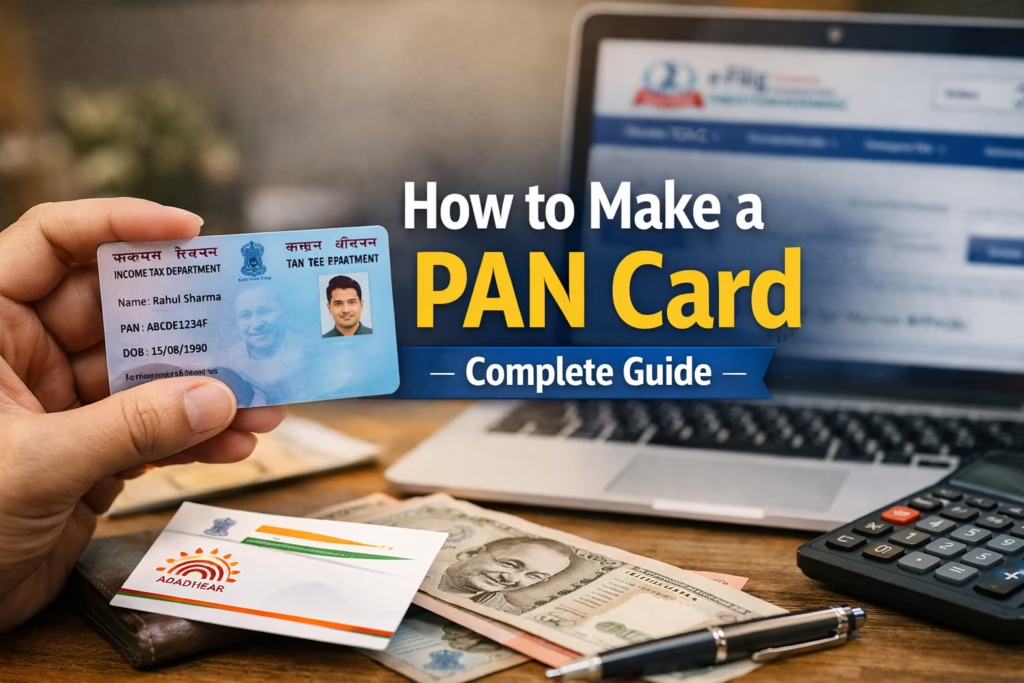
How to Make a PAN Card in India: A Complete Step-by-Step Guide (2026)
A PAN Card (Permanent Account Number) is one of the most important identity documents for Indian citizens. Whether you want to open a bank account, file income tax returns, invest in mutual funds, or apply for a loan, a PAN card is essential. In today’s digital India, applying for a PAN card has become simple, fast, and completely online.
This blog explains how to make a PAN card, who can apply, required documents, online and offline steps, fees, common mistakes, and how to track your PAN card status—all in clear and easy language.
What Is a PAN Card?
A PAN card is a 10-digit alphanumeric number issued by the Income Tax Department of India.
Example format: ABCDE1234F
Each PAN number is unique and valid for a lifetime. It helps the government track financial transactions and prevents tax evasion.
Why Is a PAN Card Important?
A PAN card is required for many daily and financial activities, such as:
- Filing Income Tax Returns (ITR)
- Opening a bank or Demat account
- Buying or selling property
- Investing in mutual funds or shares
- Applying for loans or credit cards
- High-value transactions above prescribed limits
- Receiving taxable salary or professional income
Without a PAN card, many financial services become difficult or impossible.
Who Can Apply for a PAN Card?
Anyone can apply for a PAN card, including:
- Indian citizens (individuals)
- Students (above 18 years or minors)
- Hindu Undivided Families (HUF)
- Companies and firms
- Trusts and societies
- Foreign citizens and NRIs doing business in India
Types of PAN Card Applications
There are mainly three types of PAN applications:
- New PAN Card – For first-time applicants
- Correction or Update PAN – To change name, address, date of birth, photo, etc.
- Duplicate PAN Card – If your PAN card is lost or damaged
This blog focuses mainly on how to apply for a new PAN card.
Documents Required for PAN Card
Before applying, keep scanned copies or clear photos of the following documents:
1. Proof of Identity (Any One)
- Aadhaar Card
- Voter ID
- Passport
- Driving License
2. Proof of Address (Any One)
- Aadhaar Card
- Electricity bill
- Bank account statement
- Ration card
- Passport
3. Proof of Date of Birth (Any One)
- Birth certificate
- Aadhaar Card
- Passport
- 10th class marksheet
Tip: If you have an Aadhaar card linked with your mobile number, the process becomes much faster.
How to Apply for a PAN Card Online (Step-by-Step)
There are two official websites for PAN application:
- NSDL (Protean)
- UTIITSL
The Aadhaar-based method is the easiest.
Step 1: Choose the Online PAN Portal
Go to the official PAN application website and select:
“Apply for New PAN – Indian Citizen”
Step 2: Fill the PAN Application Form
Enter basic details such as:
- Full name (as per Aadhaar)
- Date of birth
- Mobile number
- Email ID
Choose Individual as the applicant category.
Step 3: Aadhaar Verification
- Enter your Aadhaar number
- An OTP will be sent to your Aadhaar-linked mobile number
- Verify the OTP
This step helps auto-fill your personal details.
Step 4: Upload Documents (If Required)
In Aadhaar-based e-PAN, document upload is usually not required.
For non-Aadhaar cases, upload scanned copies of:
- Identity proof
- Address proof
- Date of birth proof
Step 5: Make Payment
PAN card application fees:
- ₹107 for Indian address
- ₹1,017 for foreign address
Payment can be made via:
- Debit card
- Credit card
- Net banking
- UPI
Step 6: Submit the Application
After payment:
- You will receive a 15-digit acknowledgment number
- Save or print it for future reference
Step 7: PAN Card Generation
- e-PAN is generated within 10–15 minutes (Aadhaar based)
- Physical PAN card is delivered within 7–15 working days
How to Apply for PAN Card Offline
If you prefer offline mode:
- Visit a PAN service center (NSDL or UTIITSL)
- Collect Form 49A
- Fill the form carefully using block letters
- Attach photocopies of required documents
- Submit the form and pay the fee
- Receive acknowledgment slip
The PAN card will be sent to your address by post.
How to Track PAN Card Status
You can track your PAN card status online using:
- Acknowledgment number
- Date of birth
Status messages may show:
- Application under process
- PAN generated
- PAN dispatched
How to Download e-PAN Card
If your PAN is already generated:
- Visit the e-PAN download page
- Enter Aadhaar or PAN number
- Verify OTP
- Download the PDF e-PAN card
The e-PAN is legally valid just like a physical PAN card.
Common Mistakes to Avoid While Applying
- Spelling errors in name
- Wrong date of birth
- Mismatch between Aadhaar and PAN details
- Uploading unclear documents
- Using inactive mobile number or email
Always double-check details before final submission.
PAN Card for Students and Minors
- Students above 18 can apply normally
- Minors can apply with guardian’s details
- PAN helps students in opening bank accounts and future investments
Is PAN Card Mandatory?
Yes, PAN is mandatory for:
- Income tax filing
- Salary above basic exemption limit
- Financial transactions beyond limits
Not having a PAN may attract penalties.
Benefits of Having a PAN Card
- Acts as a national financial ID
- Simplifies tax filing
- Required for investments and loans
- Prevents duplicate tax records
- Helps build financial credibility
Conclusion
Applying for a PAN card in India is now quick, simple, and digital. With Aadhaar-based verification, you can get an e-PAN within minutes without visiting any office. A PAN card is not just a tax document—it is a key to your financial identity.
If you don’t have a PAN card yet, apply today and stay financially compliant and secure.
Blog Banner (Next Step)
I can create a standard-size, real-photo style blog banner with:
- Theme: PAN Card / Income Tax / Digital India
- Text overlay: “How to Make a PAN Card – Complete Guide”
- Clean, professional blog look
👉 Say “Yes, create the blog banner” and I’ll generate it for you immediately.
A PAN Card (Permanent Account Number) is one of the most important identity documents for Indian citizens. Whether you want to open a bank account, file income tax returns, invest in mutual funds, or apply for a loan, a PAN card is essential. In today’s digital India, applying for a PAN card has become simple, fast, and completely online.
This blog explains how to make a PAN card, who can apply, required documents, online and offline steps, fees, common mistakes, and how to track your PAN card status—all in clear and easy language.
What Is a PAN Card?
A PAN card is a 10-digit alphanumeric number issued by the Income Tax Department of India.
Example format: ABCDE1234F
Each PAN number is unique and valid for a lifetime. It helps the government track financial transactions and prevents tax evasion.
Why Is a PAN Card Important?
A PAN card is required for many daily and financial activities, such as:
- Filing Income Tax Returns (ITR)
- Opening a bank or Demat account
- Buying or selling property
- Investing in mutual funds or shares
- Applying for loans or credit cards
- High-value transactions above prescribed limits
- Receiving taxable salary or professional income
Without a PAN card, many financial services become difficult or impossible.
Who Can Apply for a PAN Card?
Anyone can apply for a PAN card, including:
- Indian citizens (individuals)
- Students (above 18 years or minors)
- Hindu Undivided Families (HUF)
- Companies and firms
- Trusts and societies
- Foreign citizens and NRIs doing business in India
Types of PAN Card Applications
There are mainly three types of PAN applications:
- New PAN Card – For first-time applicants
- Correction or Update PAN – To change name, address, date of birth, photo, etc.
- Duplicate PAN Card – If your PAN card is lost or damaged
This blog focuses mainly on how to apply for a new PAN card.
Documents Required for PAN Card
Before applying, keep scanned copies or clear photos of the following documents:
1. Proof of Identity (Any One)
- Aadhaar Card
- Voter ID
- Passport
- Driving License
2. Proof of Address (Any One)
- Aadhaar Card
- Electricity bill
- Bank account statement
- Ration card
- Passport
3. Proof of Date of Birth (Any One)
- Birth certificate
- Aadhaar Card
- Passport
- 10th class marksheet
Tip: If you have an Aadhaar card linked with your mobile number, the process becomes much faster.
How to Apply for a PAN Card Online (Step-by-Step)
There are two official websites for PAN application:
- NSDL (Protean)
- UTIITSL
The Aadhaar-based method is the easiest.
Step 1: Choose the Online PAN Portal
Go to the official PAN application website and select:
“Apply for New PAN – Indian Citizen”
Step 2: Fill the PAN Application Form
Enter basic details such as:
- Full name (as per Aadhaar)
- Date of birth
- Mobile number
- Email ID
Choose Individual as the applicant category.
Step 3: Aadhaar Verification
- Enter your Aadhaar number
- An OTP will be sent to your Aadhaar-linked mobile number
- Verify the OTP
This step helps auto-fill your personal details.
Step 4: Upload Documents (If Required)
In Aadhaar-based e-PAN, document upload is usually not required.
For non-Aadhaar cases, upload scanned copies of:
- Identity proof
- Address proof
- Date of birth proof
Step 5: Make Payment
PAN card application fees:
- ₹107 for Indian address
- ₹1,017 for foreign address
Payment can be made via:
- Debit card
- Credit card
- Net banking
- UPI
Step 6: Submit the Application
After payment:
- You will receive a 15-digit acknowledgment number
- Save or print it for future reference
Step 7: PAN Card Generation
- e-PAN is generated within 10–15 minutes (Aadhaar based)
- Physical PAN card is delivered within 7–15 working days
How to Apply for PAN Card Offline
If you prefer offline mode:
- Visit a PAN service center (NSDL or UTIITSL)
- Collect Form 49A
- Fill the form carefully using block letters
- Attach photocopies of required documents
- Submit the form and pay the fee
- Receive acknowledgment slip
The PAN card will be sent to your address by post.
How to Track PAN Card Status
You can track your PAN card status online using:
- Acknowledgment number
- Date of birth
Status messages may show:
- Application under process
- PAN generated
- PAN dispatched
How to Download e-PAN Card
If your PAN is already generated:
- Visit the e-PAN download page
- Enter Aadhaar or PAN number
- Verify OTP
- Download the PDF e-PAN card
The e-PAN is legally valid just like a physical PAN card.
Common Mistakes to Avoid While Applying
- Spelling errors in name
- Wrong date of birth
- Mismatch between Aadhaar and PAN details
- Uploading unclear documents
- Using inactive mobile number or email
Always double-check details before final submission.
PAN Card for Students and Minors
- Students above 18 can apply normally
- Minors can apply with guardian’s details
- PAN helps students in opening bank accounts and future investments
Is PAN Card Mandatory?
Yes, PAN is mandatory for:
- Income tax filing
- Salary above basic exemption limit
- Financial transactions beyond limits
Not having a PAN may attract penalties.
Benefits of Having a PAN Card
- Acts as a national financial ID
- Simplifies tax filing
- Required for investments and loans
- Prevents duplicate tax records
- Helps build financial credibility
Conclusion
Applying for a PAN card in India is now quick, simple, and digital. With Aadhaar-based verification, you can get an e-PAN within minutes without visiting any office. A PAN card is not just a tax document—it is a key to your financial identity.